In short
Scribbler turns a video or an audio file into a document you can read, search, fix, translate and export, on iPhone and iPad. Transcription and translation run on the device: the media never leaves it, and there is no account. It transcribes nine languages and translates into about twenty. The free plan covers ten minutes of audio a day, with every feature included; Pro removes the limit.
Scribbler is built on the on-device speech engine Apple introduced with iOS 26 (SpeechAnalyzer) and on the Translation framework, by one independent developer in Italy. Version 1.0 has been on the App Store since September 5, 2026.
Scribbler trasforma un video o un file audio in un documento che puoi leggere, cercare, correggere, tradurre ed esportare, su iPhone e iPad. Trascrizione e traduzione girano sul dispositivo: il file non lo lascia mai, e non c'è nessun account. Trascrive nove lingue e traduce in una ventina. Il piano gratuito copre dieci minuti di audio al giorno con tutte le funzioni; Pro toglie il limite.
Scribbler è costruita sul motore di riconoscimento vocale on-device che Apple ha introdotto con iOS 26 (SpeechAnalyzer) e sul framework Translation, da uno sviluppatore indipendente italiano. La versione 1.0 è sull'App Store dal 5 settembre 2026.
Fact sheet
| Name | Scribbler: Transcribe Video |
|---|---|
| Developer | Massimo Gollo, independent developer, Italy |
| Platforms | iPhone and iPad, iOS 26 or later, on a device that supports on-device speech recognition. If a device cannot transcribe on device, Scribbler says so and the Pro purchase is not offered. |
| Released | September 5, 2026, version 1.0 |
| Category | Productivity |
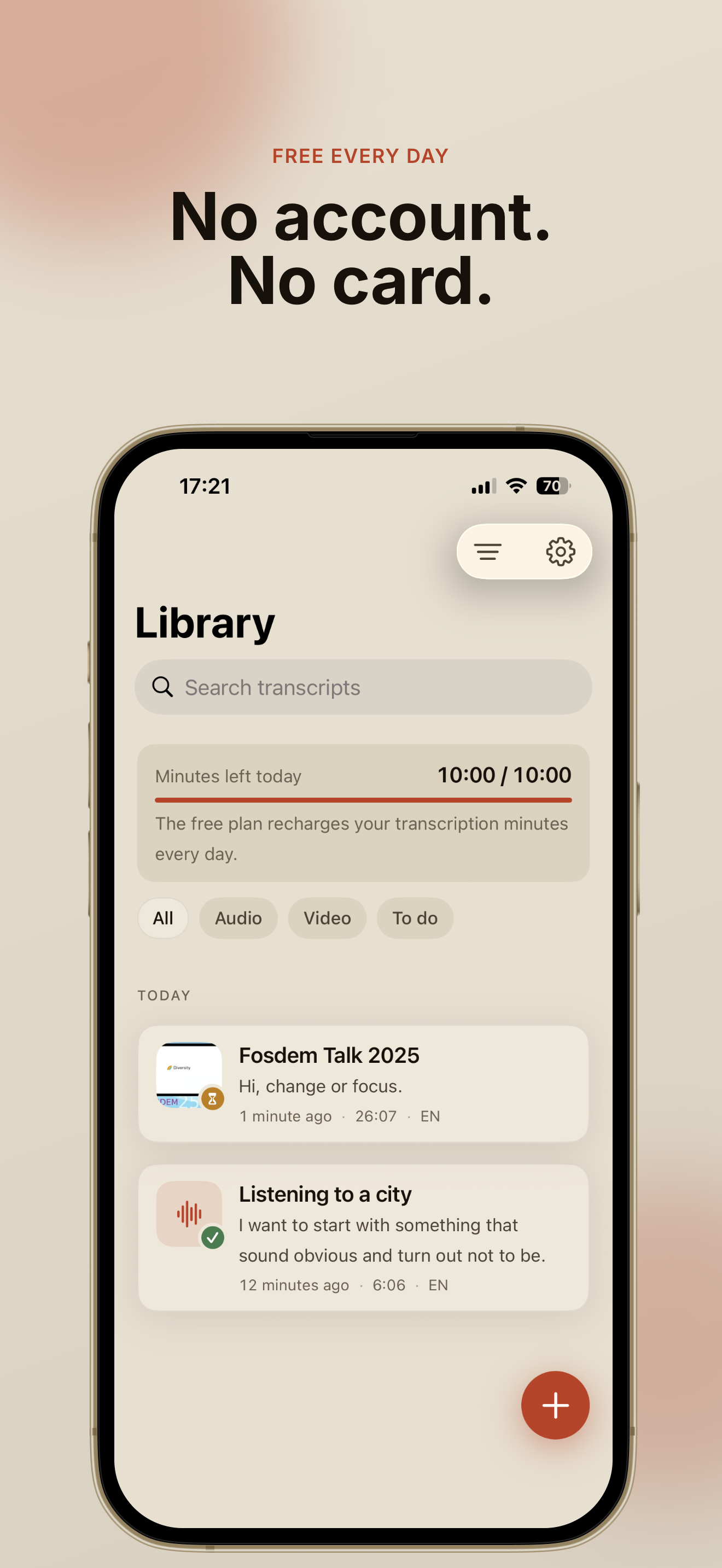
| Price | Free: 10 minutes of transcription a day, every feature included, no trial, no account, no card. Pro removes the daily limit: €3.99 a month or €39.99 once, for life. Launch prices. |
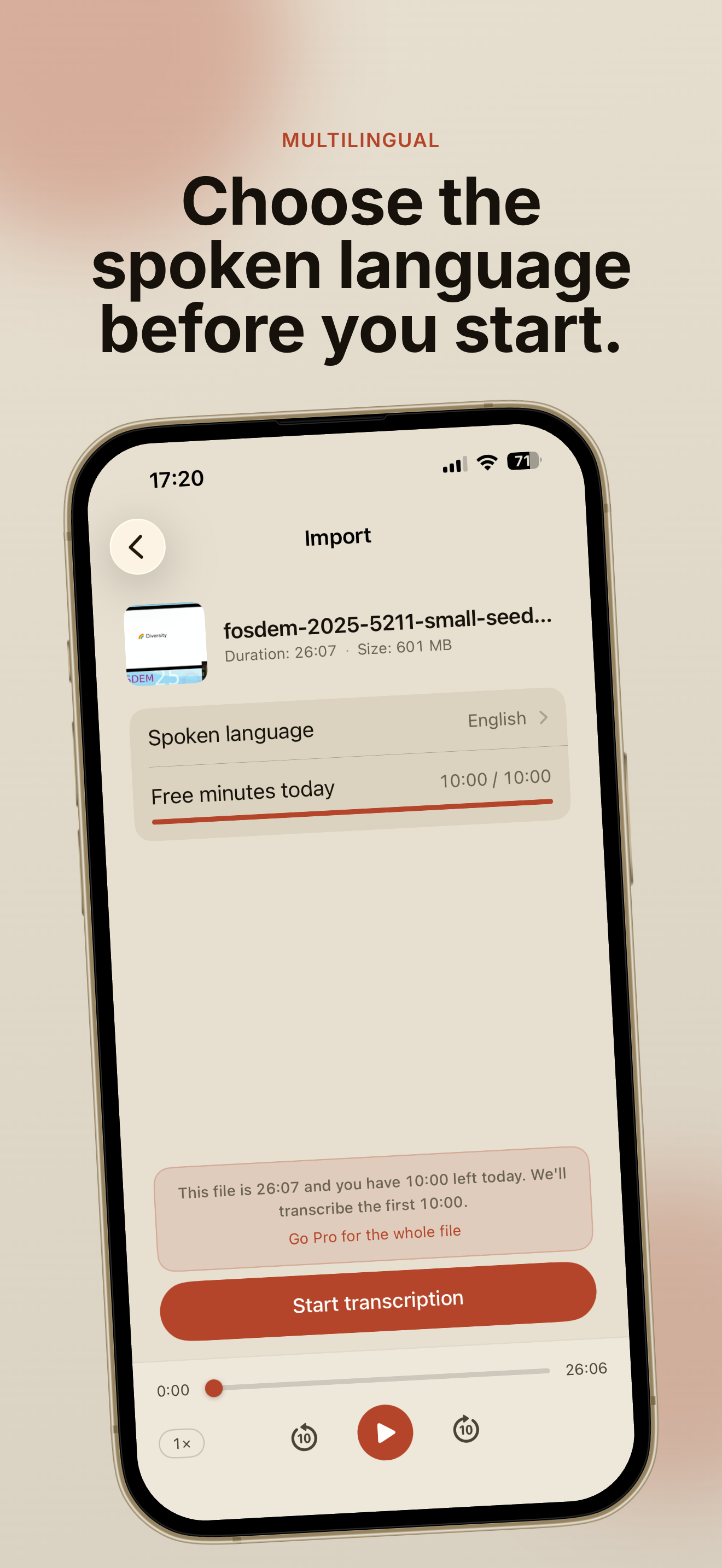
| Transcription | On device, Apple SpeechAnalyzer. English, Italian, Spanish, French, German, Portuguese, Japanese, Korean and Chinese. iOS downloads a language pack once; from then on it works in airplane mode. |
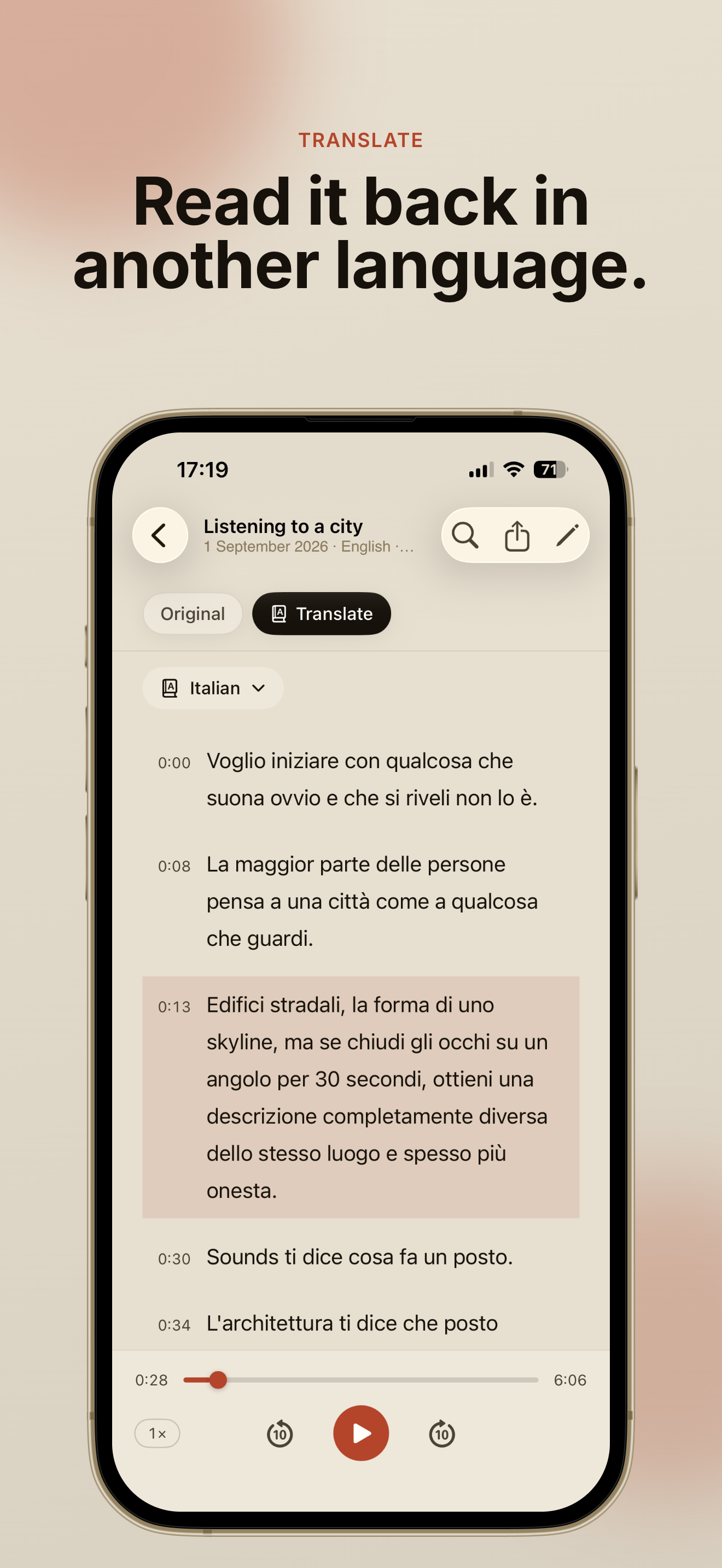
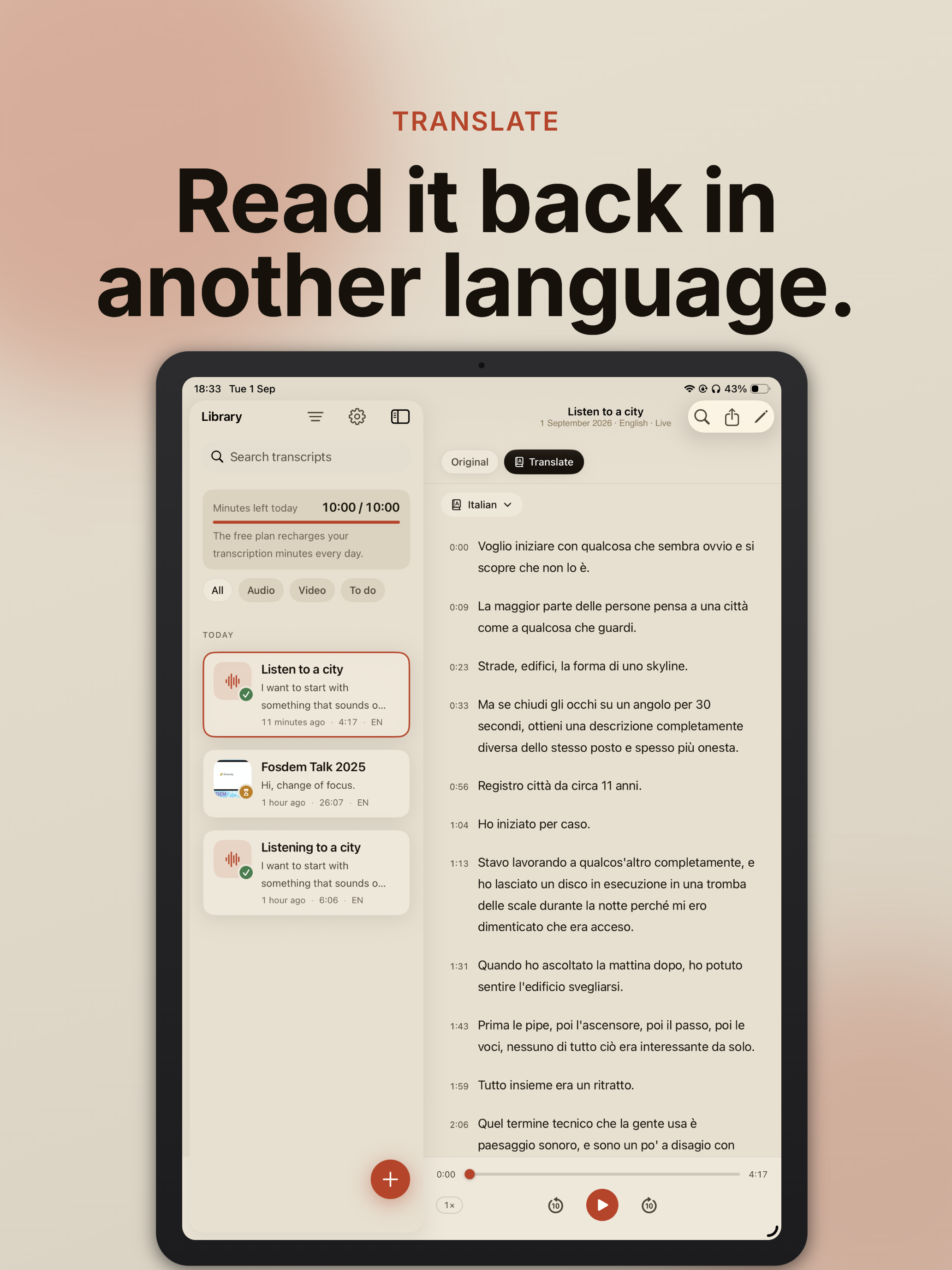
| Translation | On device, Apple Translation framework. A finished transcript can be read in about twenty languages, and a document can hold more than one translation. Search, editing and export work on the translation too. |
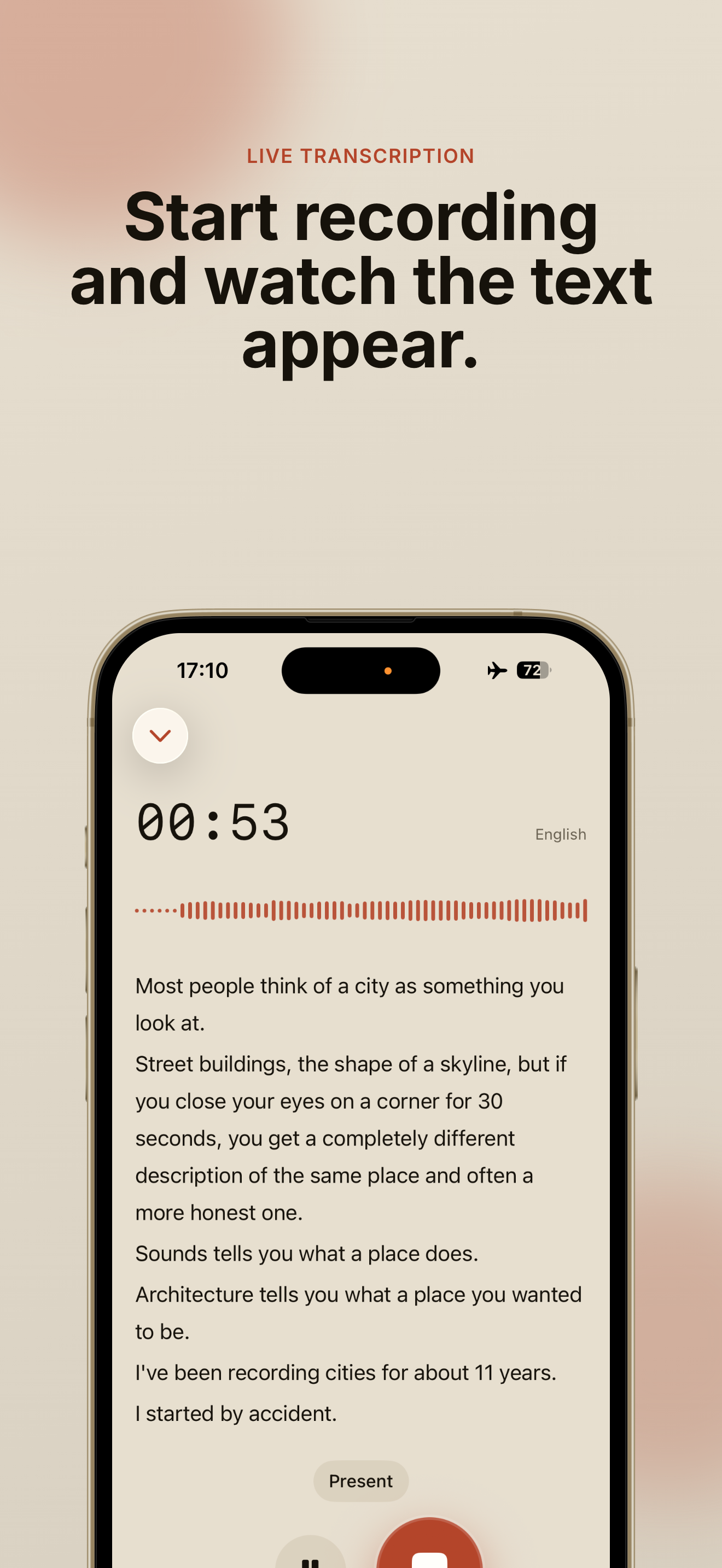
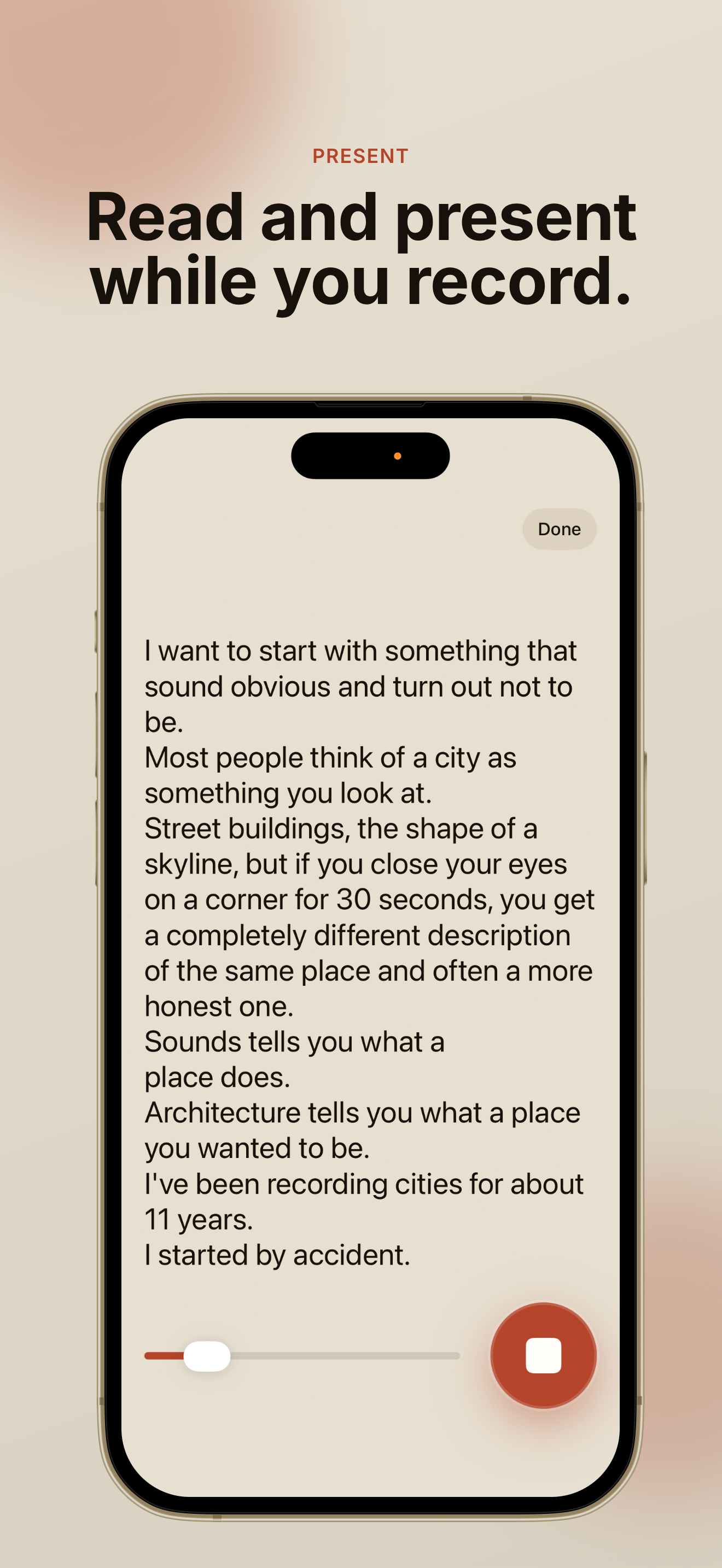
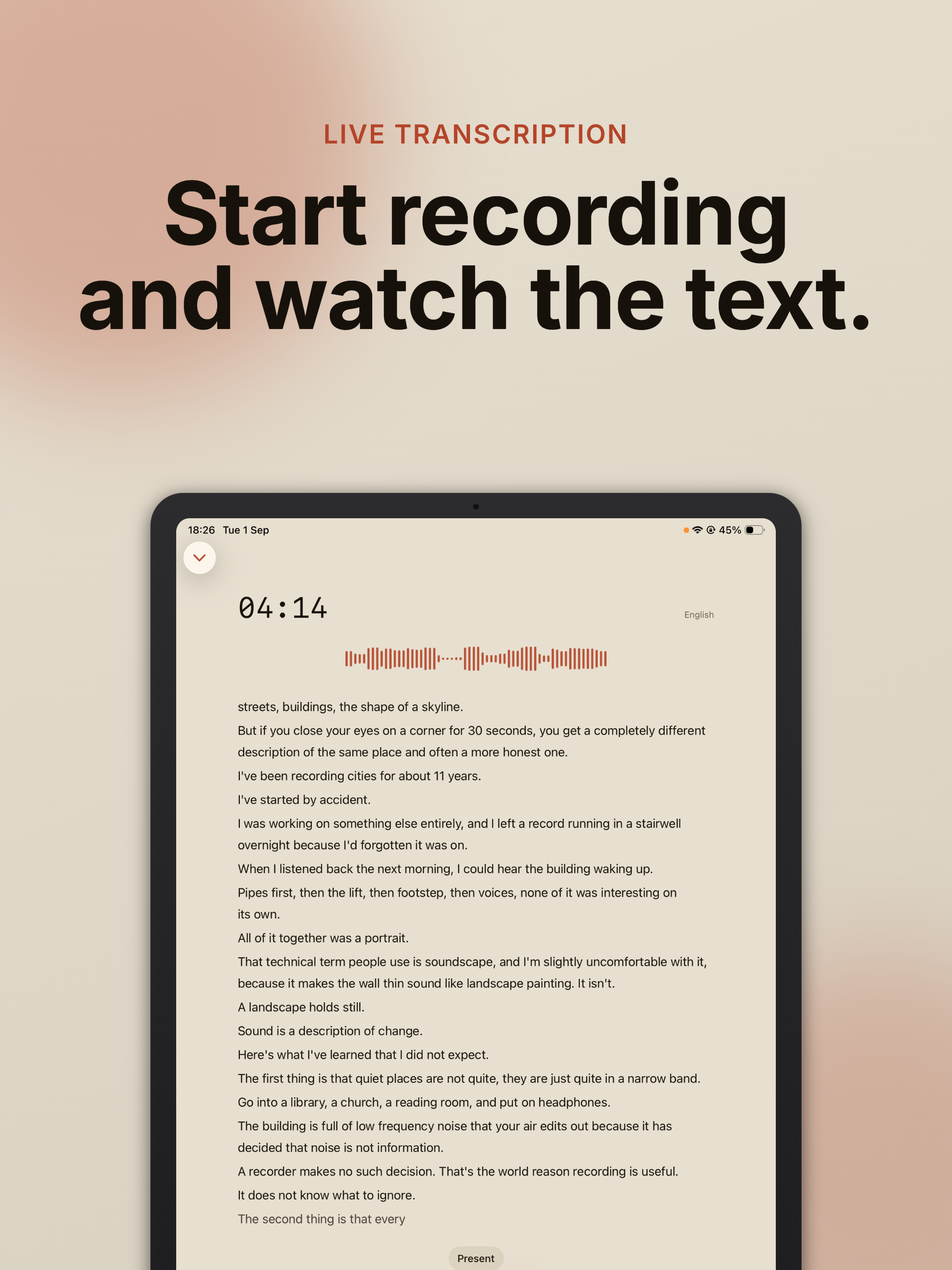
| Sources | Any audio or video file (including WhatsApp voice notes shared from the app), and live recording with the text appearing while you speak. |
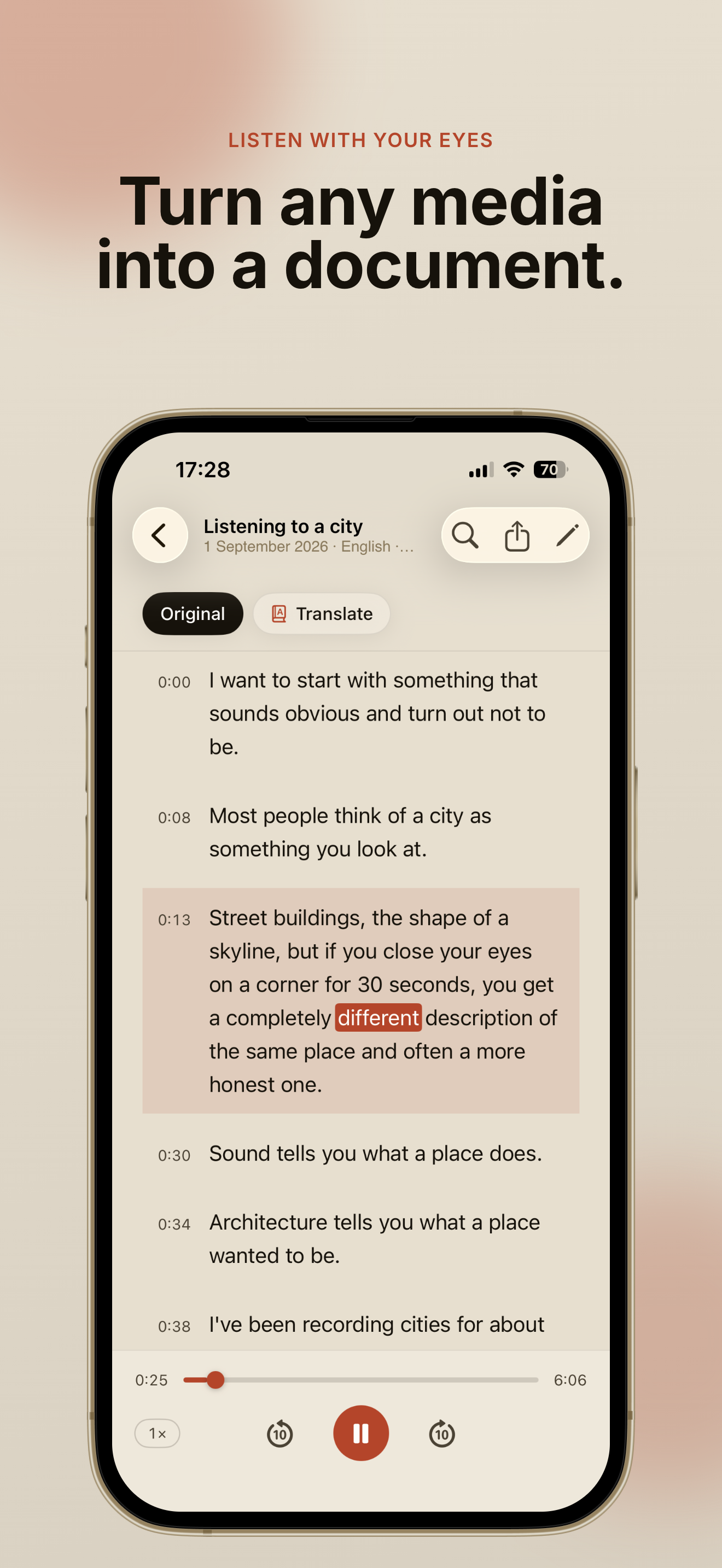
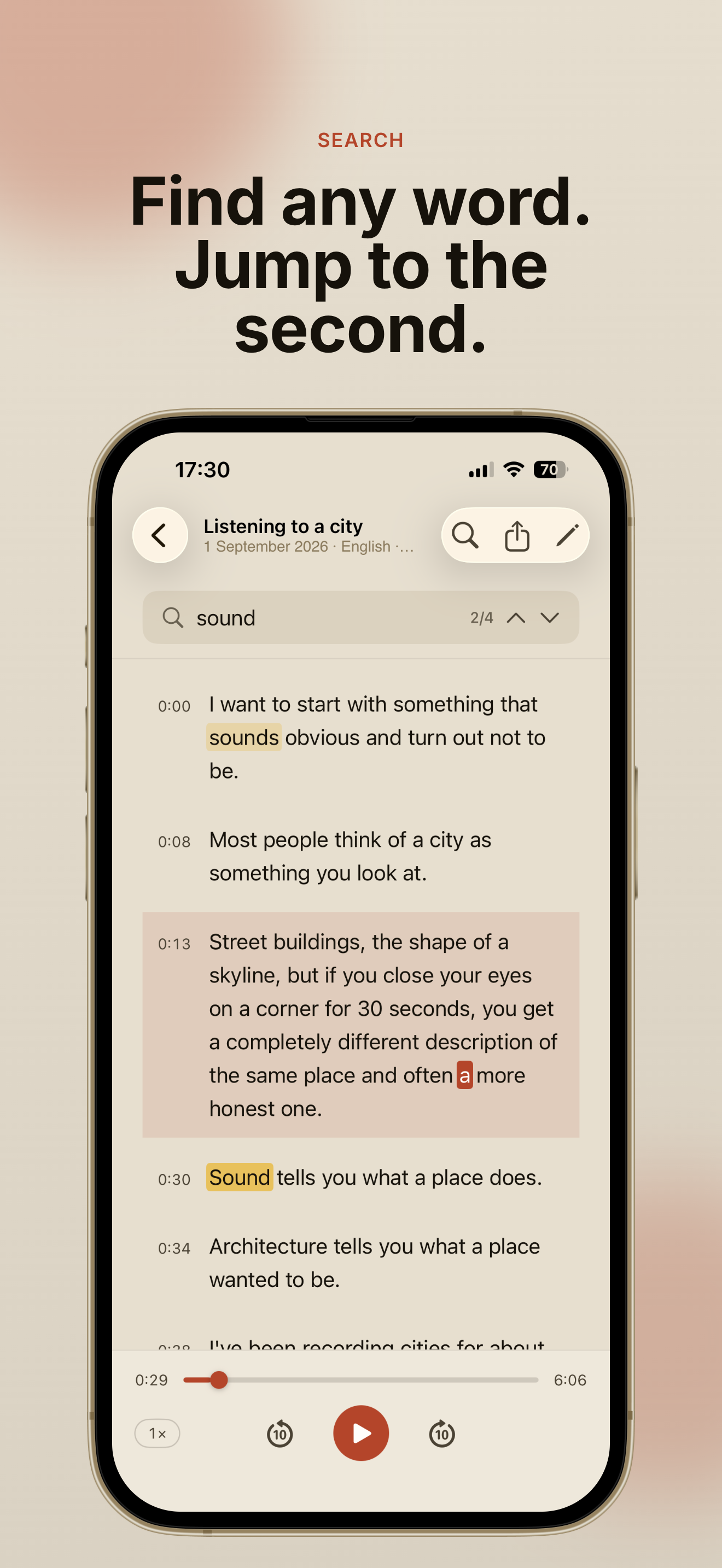
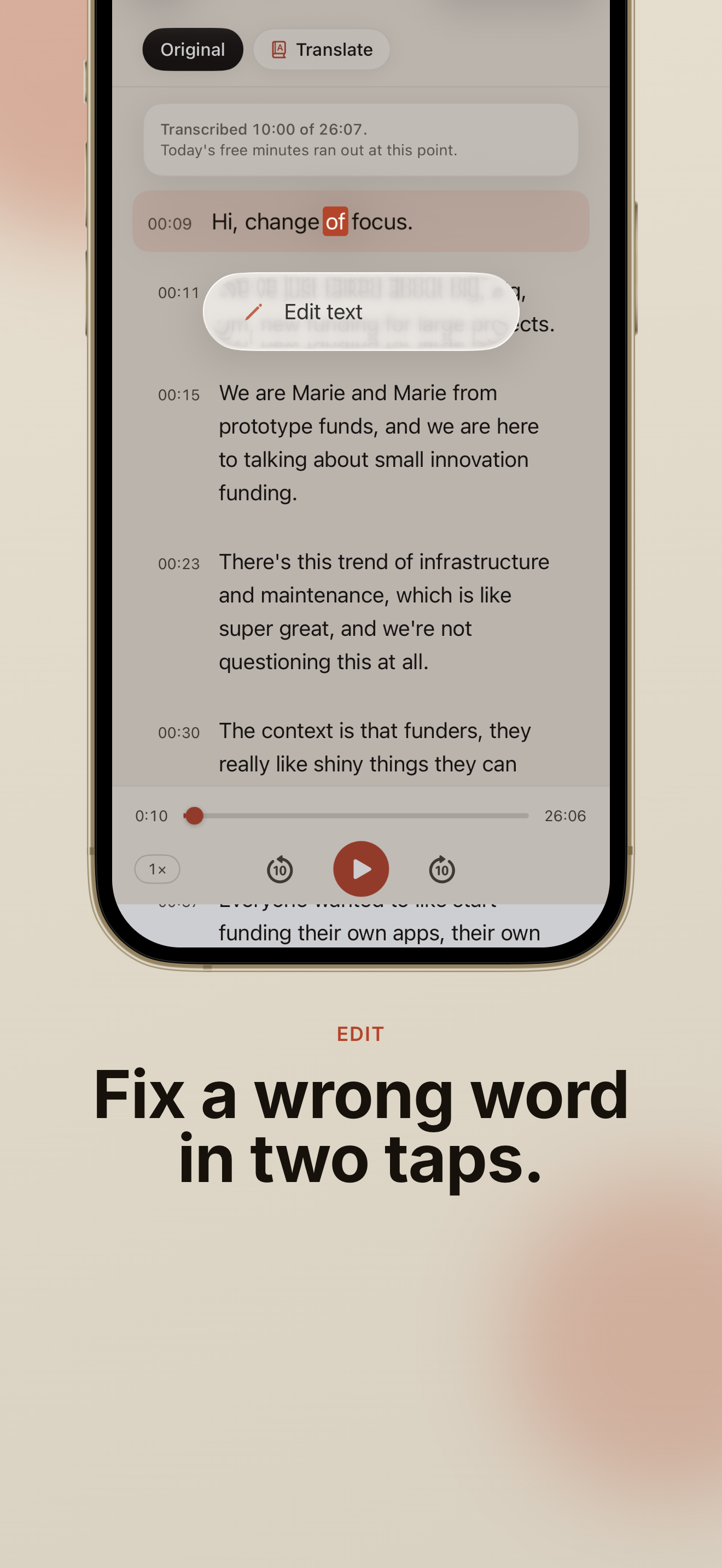
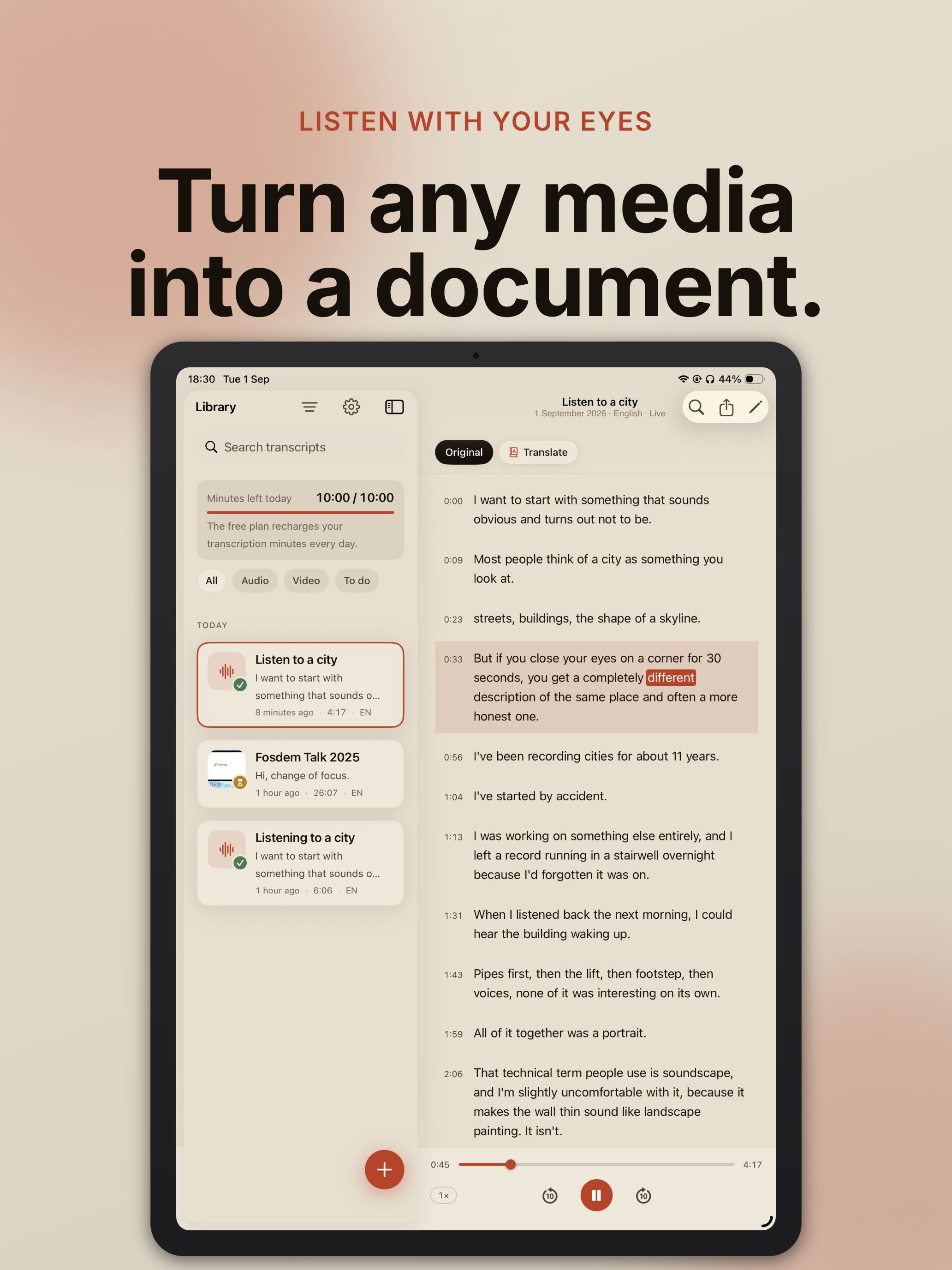
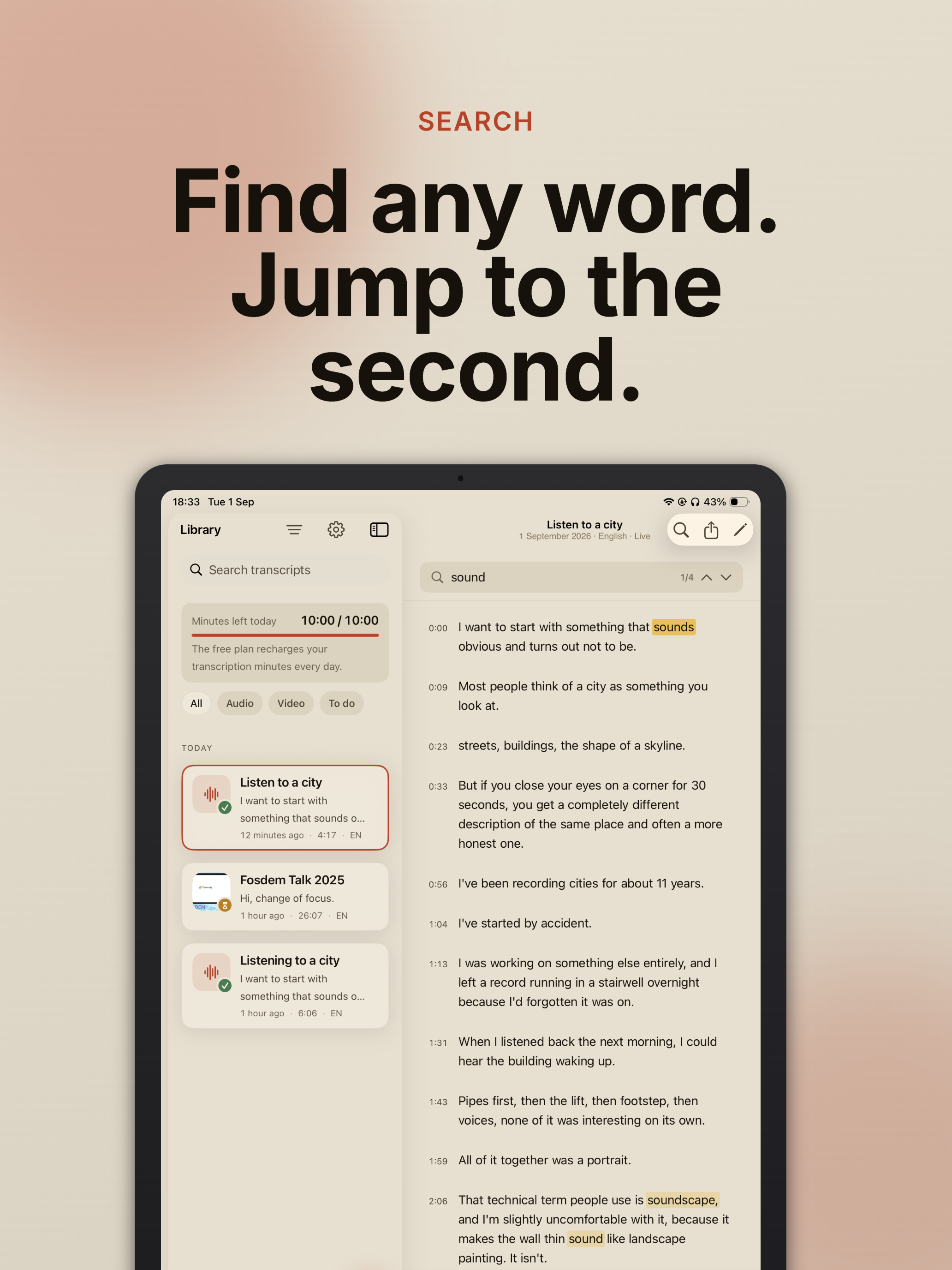
| The document | Word-level timing: tap a word to jump to the second it was said, and the text lights up as the audio plays. Inline correction of any segment. Search with in-place highlighting. |
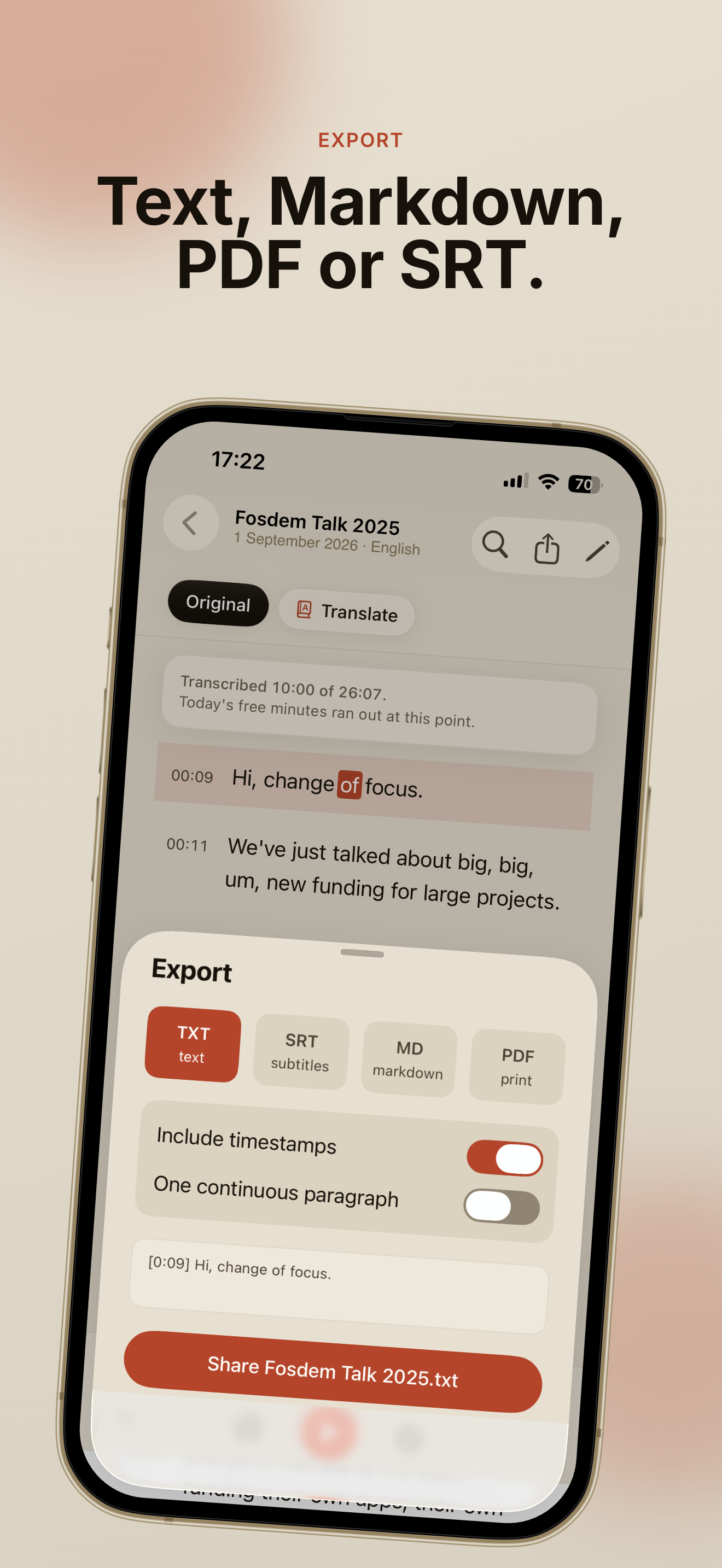
| Export | Plain text, Markdown, PDF and SRT subtitles, with or without timestamps. |
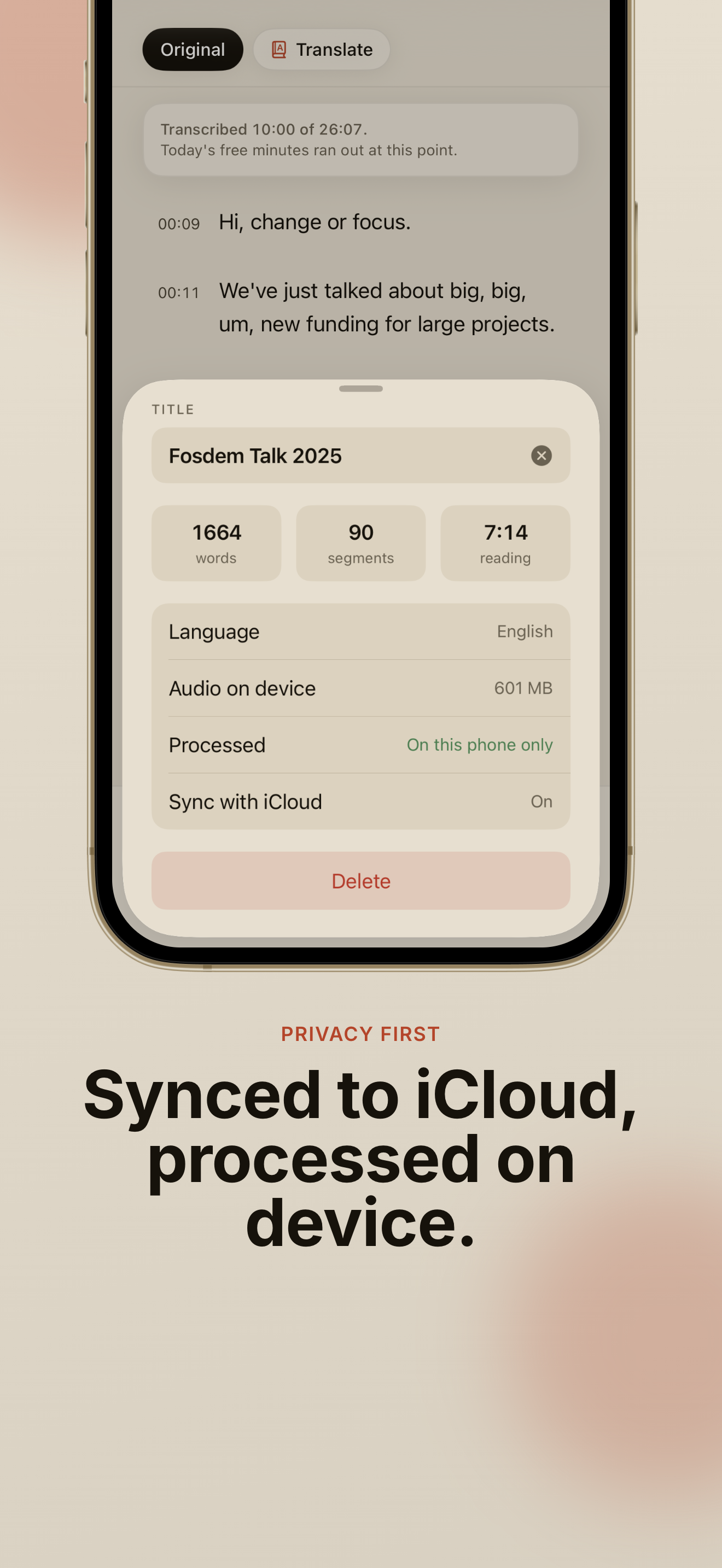
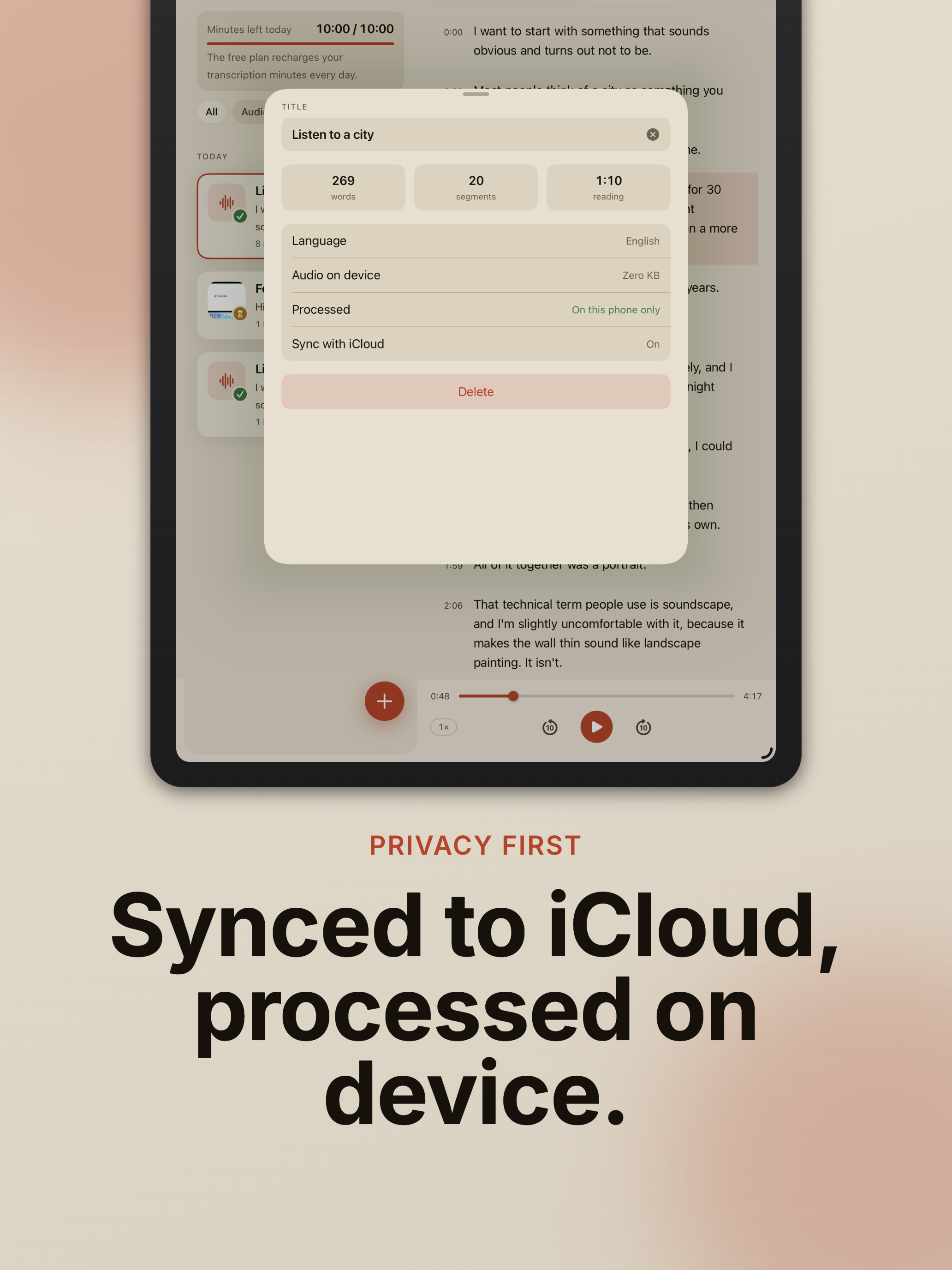
| Sync | Transcripts sync between the user's iPhone and iPad through their own iCloud account. Audio and video stay on the device that produced them. |
| Privacy | The media never leaves the device and there is no upload. No account, no ads, no third-party trackers. Crash reports are collected; usage analytics is off unless the user turns it on. |
| Interface languages | English, Italian, Spanish, French, German, Portuguese, Japanese, Korean, Chinese |
| Availability | Worldwide, except mainland China |
| App Store | apps.apple.com/app/id6747644063 |
| Website | getscribbler.app |
| Nome | Scribbler: Trascrivi Video |
|---|---|
| Sviluppatore | Massimo Gollo, sviluppatore indipendente, Italia |
| Piattaforme | iPhone e iPad, iOS 26 o successivo, su un dispositivo che supporti il riconoscimento vocale on-device. Se il dispositivo non può trascrivere on-device, Scribbler lo dice e l'acquisto di Pro non viene proposto. |
| Uscita | 5 settembre 2026, versione 1.0 |
| Categoria | Produttività |
| Prezzo | Gratis: 10 minuti di trascrizione al giorno, tutte le funzioni incluse, nessuna prova a tempo, nessun account, nessuna carta. Pro toglie il limite giornaliero: 3,99 € al mese oppure 39,99 € una volta sola, per sempre. Prezzi di lancio. |
| Trascrizione | Sul dispositivo, Apple SpeechAnalyzer. Inglese, italiano, spagnolo, francese, tedesco, portoghese, giapponese, coreano e cinese. iOS scarica il pacchetto lingua una volta; da lì funziona anche in modalità aereo. |
| Traduzione | Sul dispositivo, framework Translation di Apple. Una trascrizione finita si legge in una ventina di lingue, e un documento può tenere più di una traduzione. Ricerca, modifica ed esportazione funzionano anche sul testo tradotto. |
| Sorgenti | Qualsiasi file audio o video (compresi i vocali WhatsApp condivisi dall'app), e la registrazione dal vivo con il testo che compare mentre parli. |
| Il documento | Tempi a livello di parola: tocca una parola per saltare al secondo in cui è stata detta, e il testo si accende mentre l'audio scorre. Correzione inline di ogni segmento. Ricerca con evidenziazione nel testo. |
| Esportazione | Testo semplice, Markdown, PDF e sottotitoli SRT, con o senza timestamp. |
| Sincronizzazione | Le trascrizioni si sincronizzano fra iPhone e iPad tramite l'account iCloud dell'utente. Audio e video restano sul dispositivo che li ha prodotti. |
| Privacy | Il file non lascia mai il dispositivo e non c'è nessun caricamento. Nessun account, nessuna pubblicità, nessun tracker di terze parti. I crash report vengono raccolti; le statistiche d'uso sono spente finché l'utente non le accende. |
| Lingue dell'interfaccia | Inglese, italiano, spagnolo, francese, tedesco, portoghese, giapponese, coreano, cinese |
| Disponibilità | In tutto il mondo, tranne la Cina continentale |
| App Store | apps.apple.com/it/app/id6747644063 |
| Sito | getscribbler.app |
What is different
It produces a document, not a wall of text. Every word keeps the moment it was said: tap one to jump there, watch the text light up as the audio plays, fix a wrong word without losing its place, search and land on the second you need. Then export it in the format the next tool wants.
It works offline. Transcription runs on the device with Apple's SpeechAnalyzer. Once a language pack is on the phone, airplane mode changes nothing. Nothing is uploaded, so there is nothing to delete on a server, and no account to create.
It translates without leaving the device. A finished transcript can be read in another language with the Translation framework, still on the phone, and the translated text keeps search, editing and export. Among the transcription apps we measured on the App Store, none offers this.
Produce un documento, non un muro di testo. Ogni parola conserva il momento in cui è stata detta: la tocchi per saltare lì, guardi il testo accendersi mentre l'audio scorre, correggi una parola sbagliata senza perderne il posto, cerchi e atterri sul secondo che ti serve. Poi lo esporti nel formato che vuole lo strumento successivo.
Funziona offline. La trascrizione gira sul dispositivo con SpeechAnalyzer di Apple. Quando il pacchetto lingua è sul telefono, la modalità aereo non cambia niente. Non viene caricato nulla, quindi non c'è niente da cancellare su un server e nessun account da creare.
Traduce senza uscire dal dispositivo. Una trascrizione finita si legge in un'altra lingua con il framework Translation, sempre sul telefono, e il testo tradotto conserva ricerca, modifica ed esportazione. Fra le app di trascrizione che abbiamo misurato sull'App Store, nessuna lo offre.
Measured
On an iPhone 15, a seven-minute file transcribes in about eight seconds: roughly one second of processing per minute of audio. Word error rate measured on public test sets, same device: about 2% for English and about 10.5% for Italian.
Su un iPhone 15, un file di sette minuti si trascrive in circa otto secondi: più o meno un secondo di elaborazione per ogni minuto di audio. Tasso di errore sulle parole misurato su corpus pubblici, stesso dispositivo: circa il 2% per l'inglese e circa il 10,5% per l'italiano.
Assets
Everything below is free to use in coverage of Scribbler. Download the full kit as a zip, or pick single files.
Icon
Tutto quello che segue è libero da usare per parlare di Scribbler. Scarica il kit completo in zip, oppure prendi i singoli file.
Icona
- icon-1024.png (light, 1024×1024)
- icon-1024-dark.png (dark, 1024×1024)
iPhone screenshots, 1320×2868
Captured on a device, with the captions used on the App Store. English set below; the Italian set is in the zip.
iPad screenshots, 2064×2752
App preview video, 28 s
Screen recording on an iPhone in airplane mode: import, the text arriving, search, edit, translation, export. No audio track.
- app-preview-en.mp4 (English captions, 886×1920, 11 MB)
- app-preview-it.mp4 (Italian captions, 886×1920, 11 MB)
Contact
Massimo Gollo, developer: press@getscribbler.app. Review codes for Pro are available on request, and so is a walkthrough of the transcription and translation pipeline.
Support for users: support@getscribbler.app.
Massimo Gollo, sviluppatore: press@getscribbler.app. Codici per provare Pro disponibili su richiesta, così come una spiegazione della pipeline di trascrizione e traduzione.
Supporto per gli utenti: support@getscribbler.app.